1. Welcome to Provincetown!
Hello!
Thank you for choosing to stay with us. We want to welcome you to our home and we hope that you enjoy your visit! We hope you feel right at home and comfortable during your stay. In this welcome guide you’ll find all the information for the house and our favorite local places to visit.
If you have any questions or need anything at all during your stay please don’t hesitate to contact us.
Welcome and enjoy your stay!
2. Before You Leave Home
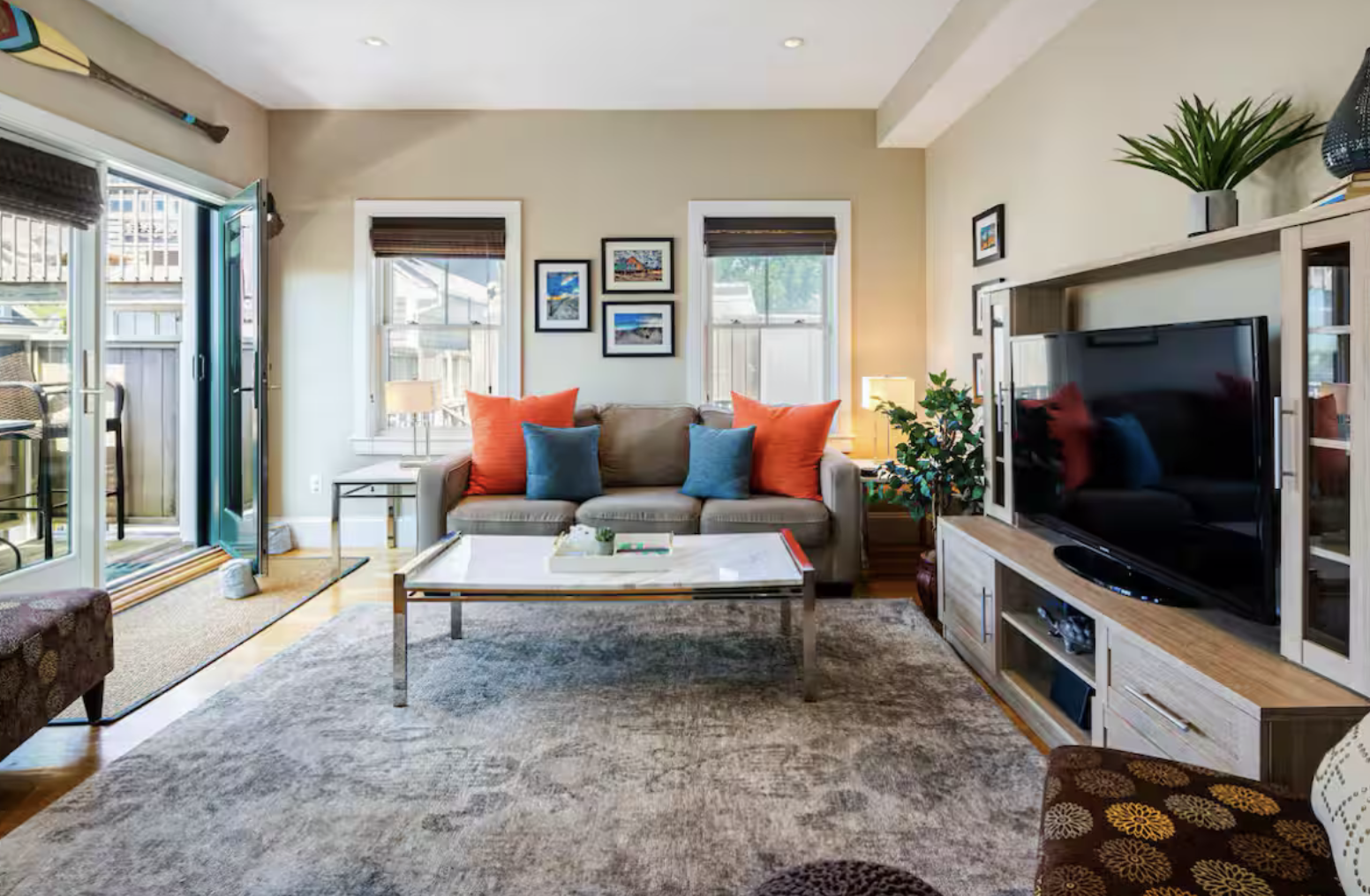
We know all of our guests have different preferences and expectations, so we wanted to share what you can expect in our home for your visit.
Linens:
- The bed in the bedroom will have freshly cleaned linens and 4 pillows
- 4 complete sets of towels
- Full set of linens and pillows for pull out sofa
- Pool / beach towels
The kitchen will have all your basic cookware, plates, cups, silverware, and appliances.
Please plan to bring your personal toiletries with you.
Paper towels, toilet paper, hand soap, and dish soap will be provided but please bring laundry pods if you are planning on doing any laundry.
If you plan to use your streaming services, don't forget your usernames and passwords :)
3. Arrival Information & Address
Use the Google Maps links to route directly to the condo entrance and designated parking space.
A. Condo Entrance Address
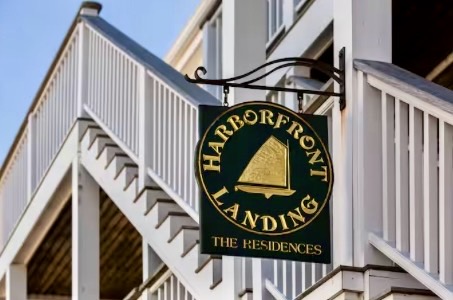 The condo building is left off Commercial Street right behind the Squealing Pig. The building is called the Harborview Landing.
333R Commercial Street, Provincetown, MA 02657
Get Directions to the Condo EntranceB. Designated Parking Address
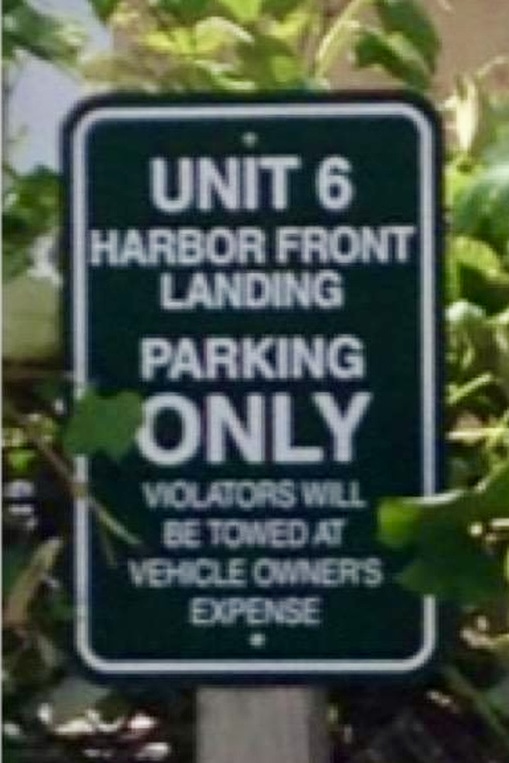 Parking for one vehicle is provided on 20 Alden Street, just a couple of blocks from the property. It is usually easiest to go to the property first and drop off your bags and then go to park your vehicle.
20 Alden Street, Provincetown, MA 02657
Get Directions to the Parking LotAccess Instructions and Keyless Entry
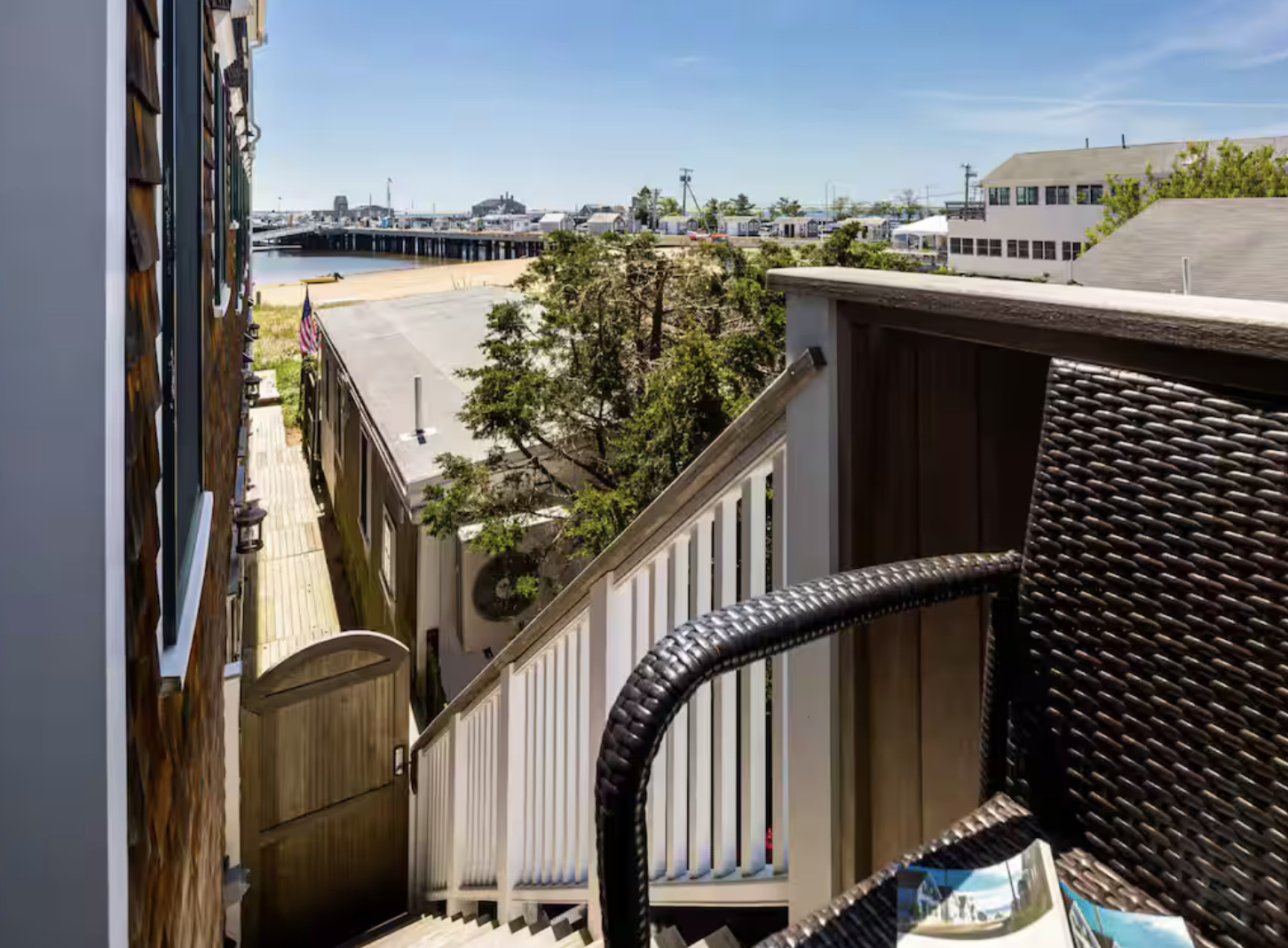
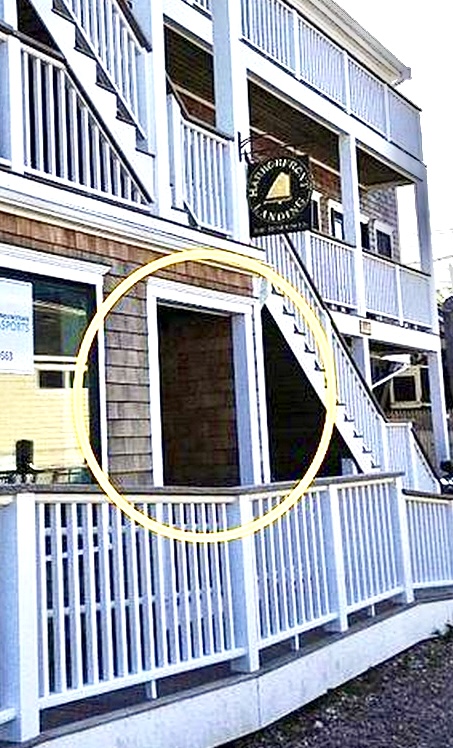 The condo is Unit 6, located on the second floor (stairs only). Enjoy the beautiful bay views from your unit with private, direct access to the beach!
The main door to the building is located directly under the Harborfront Landing sign near the mailboxes.
The code to enter the building and your personal access code to the unit will be sent to you prior to check in.Our building and unit have electronic, keyless locks.
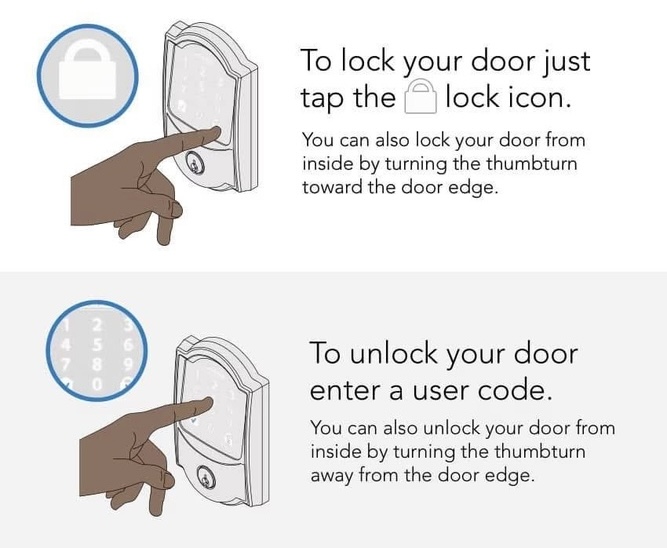
Check In
Your check in time is 3pm. We can sometimes arrange an early check in, so please contact us if you plan to arrive early and we'll do our best to accomodate you (we can’t promise, unfortunately). If you are arriving early, have a look at our Local Gems section. We've listed some of our favorite things to do in the area.
4. Luggage Storage (Early/Late)
If you are arriving early or leaving late, there are luggage storage options near MacMillan Pier.
The Bay State Cruise Company at the end of the pier offers luggage storage for a small fee: www.baystatecruisecompany.com
5. WiFi & Entertainment
WiFi
We provide this service for your enjoyment and convenience. However, please note that you are responsible for its safe and appropriate use and compliance with all laws. If there is any loss of service please contact us.
Guest Wi-Fi Access
Network Name: ptownmodernbeach
Password: 333Commercial
TV & Streaming
Our home has smart televisions with Roku. Live Streaming TV is provided through Philo. Just turn on the TV and the Roku menu will be available. You also have the ability to use your own login for Netflix, Hulu, Disney+ and other streaming services, but please remember to log out of all services before checking out.
6. About Our Property
Kitchen & Dining
The kitchen is fully equipped with a stove, microwave, drip coffee maker, Keurig coffee maker, toaster, toaster oven, blender, electric tea kettle, and basic cooking utensils.
Stove: Please use the oven fan when cooking to prevent false smoke alarms.
Refrigerator and Freezer: Please ensure that you empty the refrigerator and freezer of any items you brought during your stay so that it can be clean and ready to use by the next guest.
Dishwasher: All controls are on the top inside panel of the door. To start the dishwasher, press the power button located all the way to the right. Press the Program button to select the program you want to run, Normal works great for regular dishes. Press the Turbo button on the left side and a quicker wash will be performed (about an hour and a half). Insert dishwasher detergent in the detergent compartment found on the inside of the washer on the door. Close the door and the dishwasher will begin. Note that there is no utensil basket in this dishwasher, but rather a thin shelf all the way on top above the other two that is made for utensils.
Laundry
A washer and dryer are available in the hall closet. There is also a hamper in the closet for your use.
Washing Machine: To run a wash, add detergent to the pull out drawer, set the dial to either Color or White, ensure the door is closed, and hold the start button until the machine begins. Please do not overload the washer by washing more than 2 sets of towels at a time.
Dryer: Turn the dial to the appropriate setting and hold the start button to begin. Please remove the lint cartridge from the inside of the door and clean after each use. The dryer has front ventilation so please leave at least one of the closet doors open while the dryer is running.
Pull Out Sofa Bed
The sofa in the living room opens to a queen size bed. The sheets, blanket, and pillows can be found in the hall closet. For added comfort, there is a feather bed that is made for pull out sofa beds available for your use in a bag in the hall closet. The sofa bed will not close with this feather bed on, so please return it to the closet before closing the bed.
Window Blinds
Some of the blinds in our property have the ability to come down from the top or up from the bottom. Please be gentle when pulling the cord for the blinds to open them.
Door to Deck
In order to lock the glass doors to the deck, you must lift the handle on the right side all the way up until it cannot go anymore and then turn the nob for the deadbolt to lock. You may feel like you are lifting the lever too far, but it is required on this heavy duty hurricane door for the deadbolt to engage.
This video helps! If you have any issues, please reach out.
Outdoor Lights
The outdoor lights for the deck can be turned on from the light switch near the back door in the living room. There are silver outdoor light switches at both ends of the walkway from the deck to the beach in order to turn those lights on and off.
Shared Outdoor Shower
A great day at the beach can be so much fun, but having the shower drain back up during your stay is not so much fun. Please leave the sand outside and rinse off in the outdoor shower before coming in and using the bathroom showers. Thanks so much for your cooperation!
Trash & Recycling
Please consolidate all garbage and recycling into the labeled bins located outside the building in the fenced in area near Unit 2. Please collect your garbage and recycling to dispose of them in the proper areas before you leave.
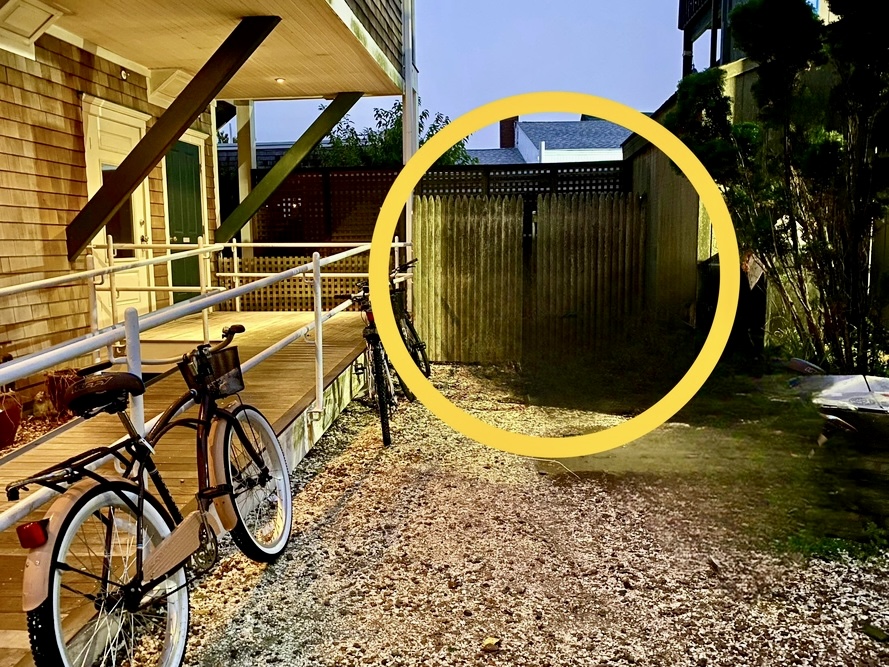
Nest Thermostat
The Nest is a smart thermostat that will automatically adjust when nobody is in the property. The thermostat defaults to 72 degrees. You can raise the temperature by turning the outside sliver dial clockwise, and lower it by turning counter clockwise.
Video Intercom System
The system is located in the hallway outside the bedroom and allows you to see a visitor before gaining access to the property. To speak to the visitor, press and hold the “Talk” button. Release the button to listen to the visitor talking. To grant access, press the button with the key icon.
Device Charging
The two alarm clocks in the bedroom also serve as a charging method for your wireless phone. There are USB ports on the front under where the time is displayed. Additionally, a 4 port USB outlet has been installed in the kitchen area to charge your devices.
Hall Closet
- Extra roll of Toilet Paper and Paper Towel
- Iron and Ironing Board
- Hairdryer
- Outdoor covers for bikes
- Umbrella
- Beach Towels (2)
- Sand Chairs (2)
- Emergency Crank Flashlights
- Dustpan and Hand Broom
- Manuals for Appliances
- Playing Cards, Uno, and Go Fish
Bedroom Closet
- Rolling Cooler
- Fold Up Chairs (4)
Washer & Dryer Closet
- Dustbuster
- Broom and Mop
Silverwear Drawer
- Extra batteries for remotes
7. Beach Information
Provincetown is home to some of the Cape's most beautiful National Seashore beaches. Both major options are easily reached via the local shuttle or a short drive.
Race Point Beach
Known for its wide, expansive shores and powerful waves, Race Point is perfect for long walks and seals sightings. It faces the open ocean and is famous for spectacular sunrise views.
Get Directions to Race Point BeachHerring Cove Beach
Herring Cove faces the bay, offering calmer, warmer waters and gorgeous sunsets over the water. It's often preferred for swimming and is slightly more sheltered from the wind.
Get Directions to Herring Cove BeachReal-Time Tide Information
Tides change constantly! For your safety and planning, always check the current tide schedule before heading to the beach.
8. Safety & House Rules
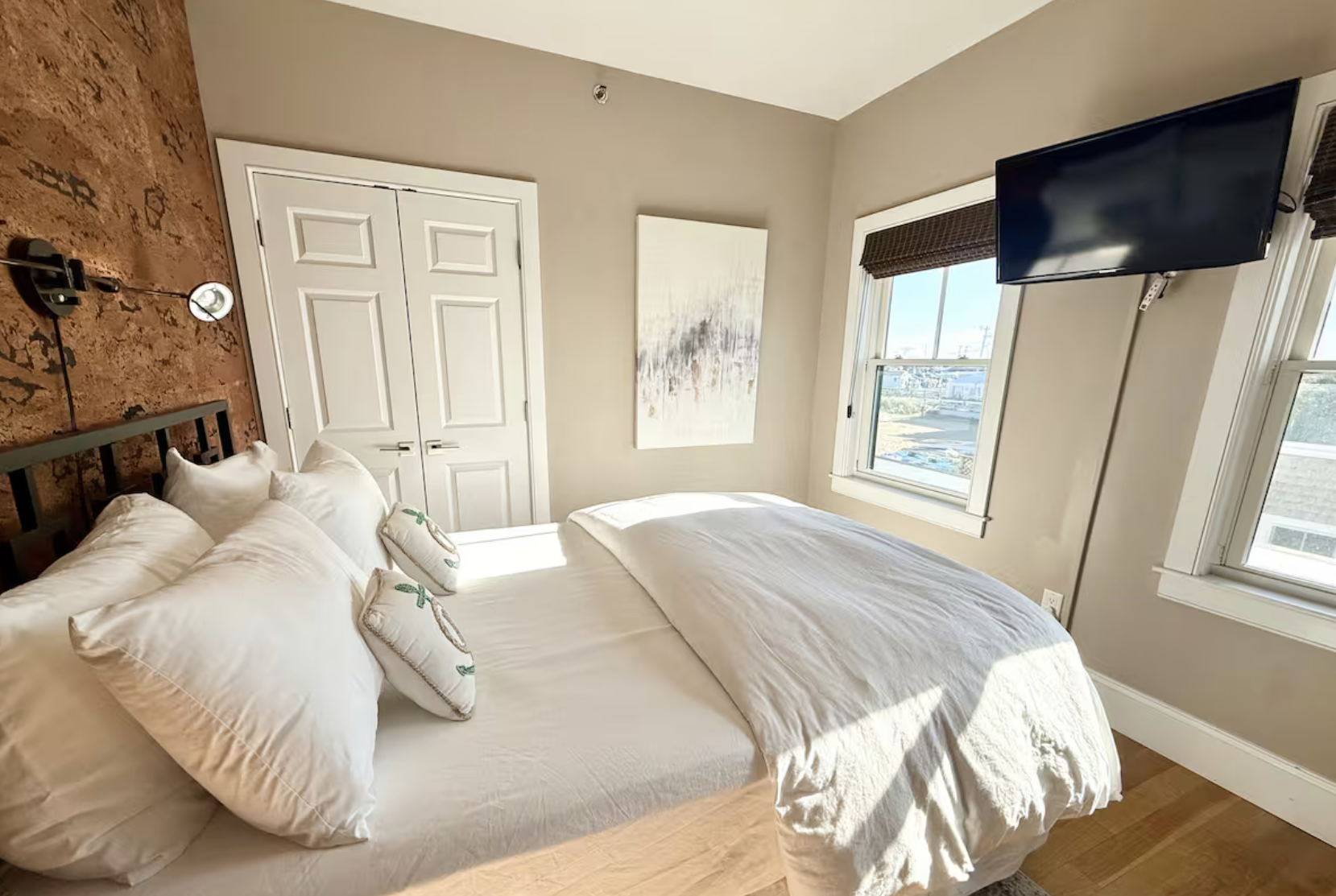
General Safety & Rules
- Quiet Hours: 10 PM to 9 AM. We are located in a residential community and, although this is a holiday destination, it's home to many people. As such we ask that you respect their privacy and their right to a peaceful existence! Specifically, between the hours of 10PM and 9AM noise should be kept to a minimum.
- Smoking: Strictly **NO smoking** in or around the property, including the deck.
- Windows/Doors: Always ensure windows and doors are securely locked when leaving the property.
- Grill/Candles/Fire: Due to fire regulations, no grilling, open flames, candles, or fireworks are permitted on the property.
- Guests: Only guests that are on the original booking are able to stay overnight.
- Breakages: We understand that sometimes accidents happen! Should you break anything please let us know immediately so we can discuss a resolution.
- Pets: We love animals but this home is pet-free due to many people being allergic. The building has a strict no pet policy for renters, so we can offer no flexibility.
9. Local Gems & Recommendations
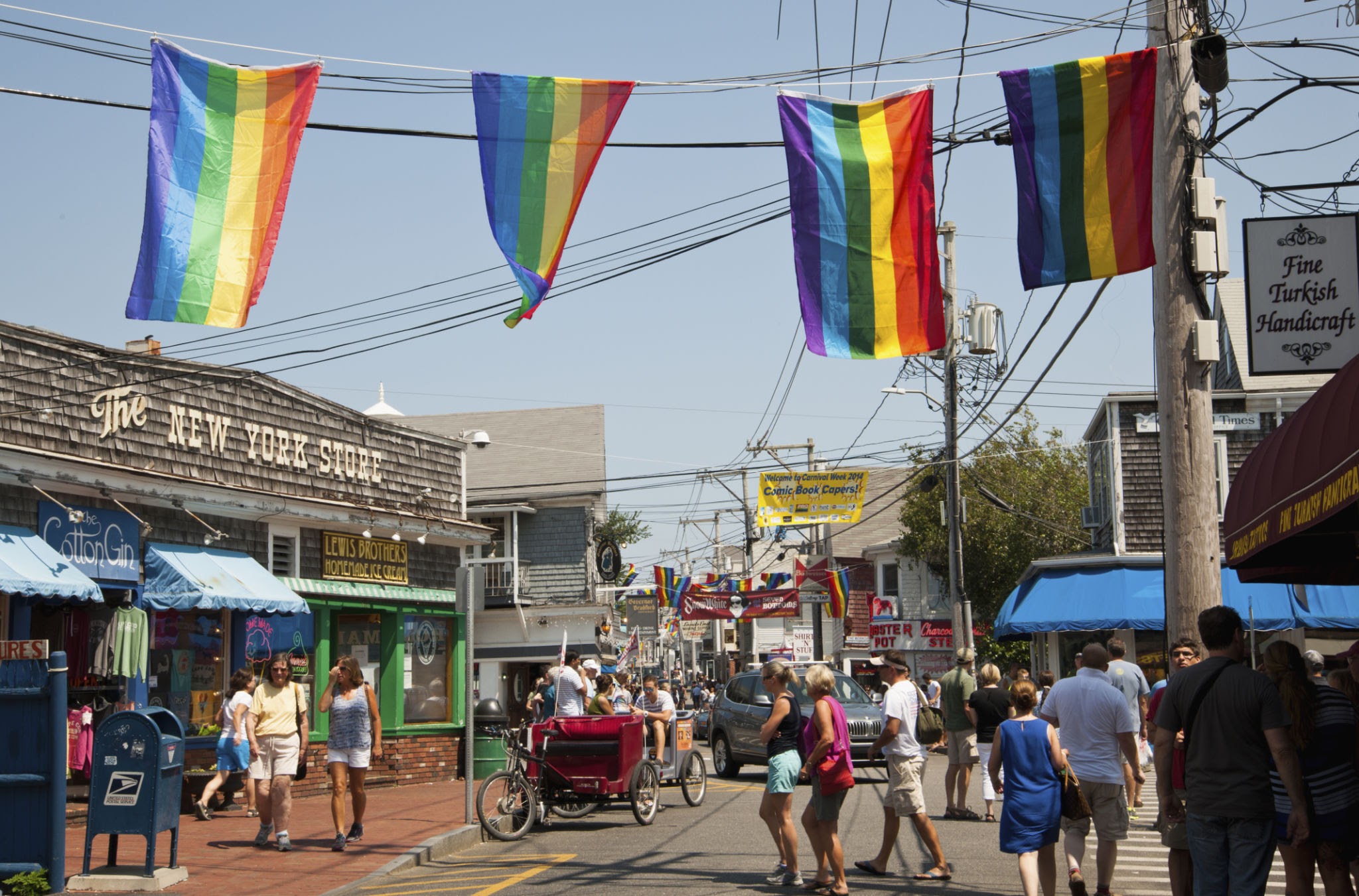
Eat & Drink (Right Outside Your Door!)
*** UPDATE WITH SPECIFIC RECOMMENDATIONS FROM YOUR GUIDE ***You are here! (333R Commercial Street): All the best restaurants, bars, and cafes are right outside your door on Commercial Street.
The Lobster Pot: An iconic P-town experience for fresh seafood (just a short walk east). (Seafood, $$$)
Joe Coffee: Our go-to spot for excellent morning caffeine and a quick bite (likely just steps away!). (Cafe, $)
Activities
Commercial Street: Everything is here. Enjoy the galleries, unique shops, and people-watching right outside your unit.
MacMillan Pier: Head towards the water for fishing charters and the famous Whale Watching Tours.
10. Support & Emergency Information

Host Contact (For non-emergencies)
If you need to get in touch with us, (whether it's about a delay or you're lost - or anything else!) please message me on the Airbnb app or text us at the number below.
Host: Alex Bant
Phone: (202) 294-5709
EMERGENCY INFORMATION (Fire, Police, Medical)
- Emergency Hotline: 911
- Property Address: 333R Commercial Street Unit 6, Provincetown, MA 02657
- Urgent Care: Outer Cape Health Services (Provincetown location) - Click for Map Directions
11. Check Out & Farewell
Thank you so much for choosing Ptown Modern Beach Condo for your vacation. We truly hope you had an incredible stay and made some wonderful memories here in Provincetown.
We would be grateful if you could leave us a 5-star review on Airbnb if you enjoyed your stay! Safe travels, and we hope to host you again soon!
Check-Out Checklist (10:00 AM)
Check-out time is strictly 10am. If you require a later check-out, we’ll do our best to accommodate it. But please bear in mind you’ll need to let us know beforehand. If we have guests arriving that day, it will be almost impossible to offer a late check-out.
- Leave the beds unmade. No need to strip them.
- Place used towels in the hamper in the hall closet.
- Load and run the dishwasher.
- Empty all trash and recycling into the exterior containers.
- Log out of all streaming accounts (Netflix, Hulu, etc.).
- Close and lock all windows and doors.